Cancellation vs Account Deletion: How to Stop Charges from Overseas Services
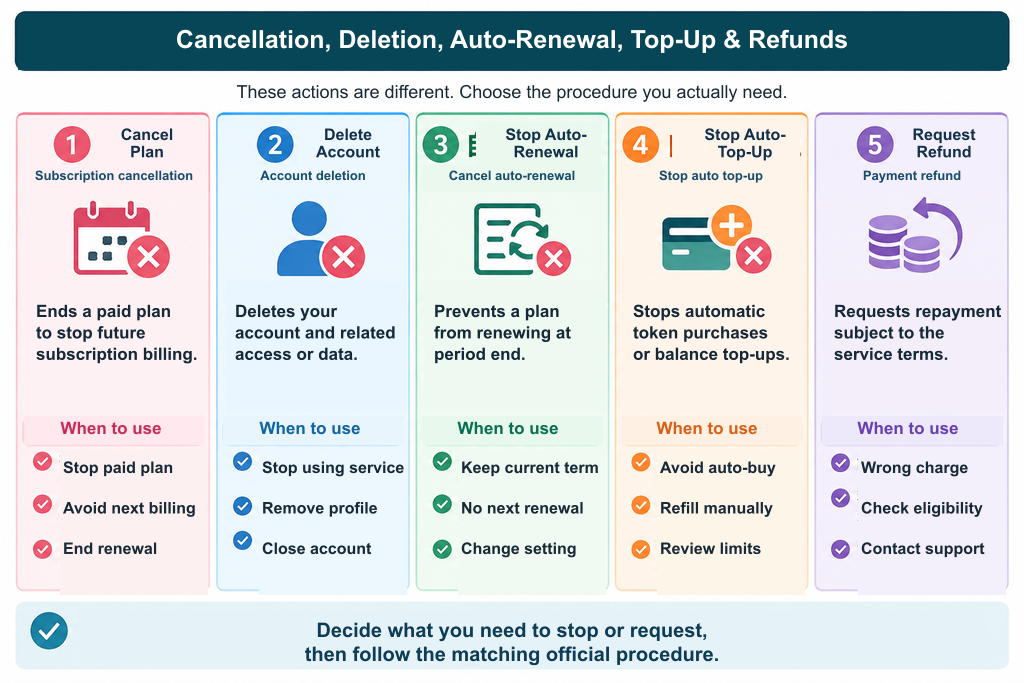
Cancellation, deletion, auto-renewal and refunds are different
Cancelling a subscription ends a particular agreement under its terms. Deleting an account changes access to that account. Disabling auto-renewal stops future renewals under the applicable rules. A refund concerns money already paid. None should be assumed to accomplish all the others.
Identify the agreement and payment provider
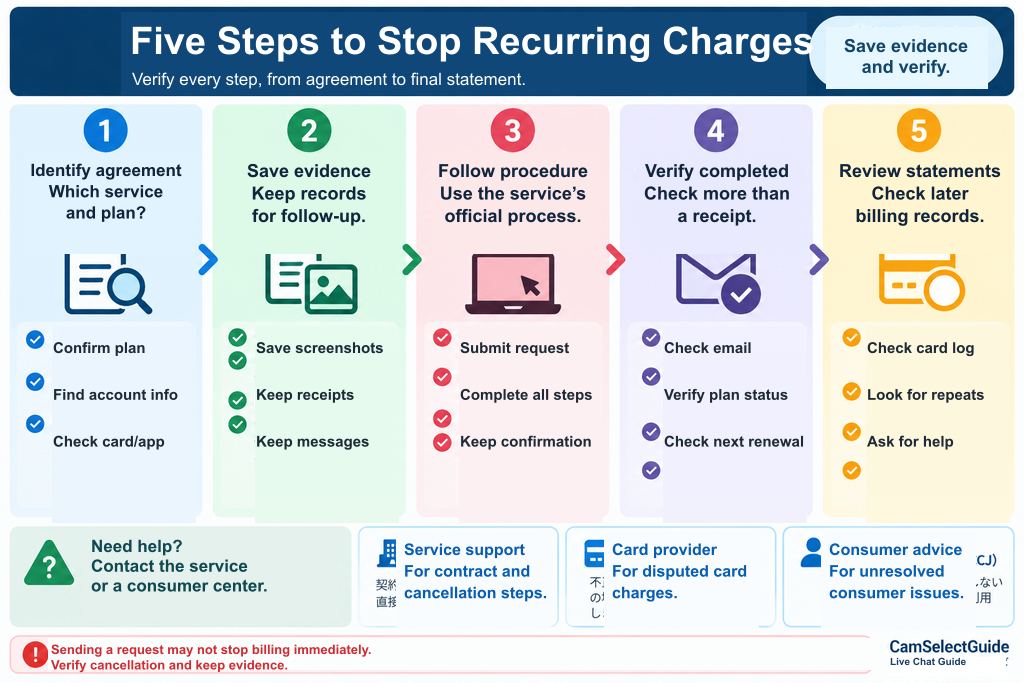
Before acting, compare the contract name, account, merchant, billing provider and transaction details. A website account may have more than one paid feature.
Check renewal dates and deadlines
Find the next renewal date, cancellation deadline and access end date. They may not be the same.
Save records before deleting anything
Keep the subscription terms, order number, transaction history, relevant screenshots and correspondence with support. Redact sensitive personal and payment information before sharing documents.
Confirm completion, not just receipt of a request
A submitted request or support acknowledgment is not always confirmation of cancellation. Verify the final subscription status, effective date and any written confirmation.
Check for other subscriptions and automatic top-ups
An auto-refill switch is separate from a subscription. Disabling one may leave another active.
If you are charged after cancellation
Compare the transaction date, billing date and paid service period. Contact the provider with supporting records. If unauthorized card use is suspected, contact your card issuer promptly.
If you cannot log in
Use the official help center and the records from your original purchase. Document when and how you contacted support.
Consumer assistance
For users in Japan, the original article points to the National Consumer Affairs Center of Japan and the Cross-border Consumer Center (CCJ) as possible sources of advice.
FAQ
Does deleting an app cancel a subscription? Not necessarily.
Does deleting an account stop recurring billing? Verify the contract separately.
Does switching off auto-refill cancel every subscription? No.
What if no confirmation email arrives? Check the account's current status and contact official support.
Is a charge after cancellation always an error? Not necessarily; dates and terms matter.
Does requesting a refund cancel a subscription? Do not assume so.
Where can I get help if locked out? Official provider support and, where appropriate, consumer assistance.
Summary
Verify three things: which agreement is affected, whether the cancellation is complete, and what records prove it. Deletion and refunds are separate questions.